A calmer screen-time and focus app for Android

Take backyour time.Build a better you.

MindShield is a calm Android app that turns the urge to open a distracting app into a deliberate pause, then into a goal, a task, a habit, or a focus session. No ads. No noise.

No adsOptional accountWorks offline

Version 0.1.0, Android 8.0 and later

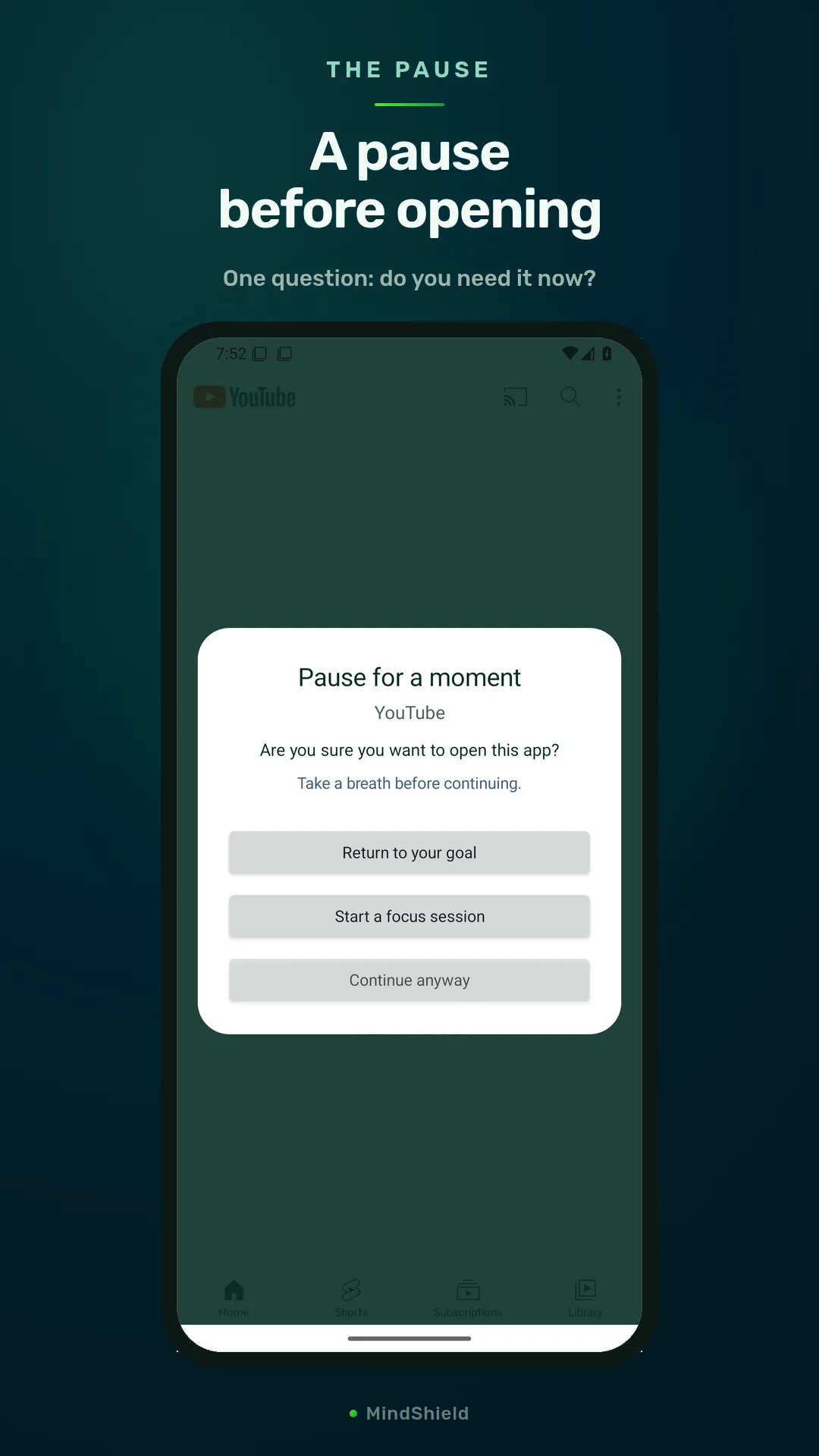
MindShield pause poster: a pause before opening YouTube, with options to return to your goal, start focusing, or continue.
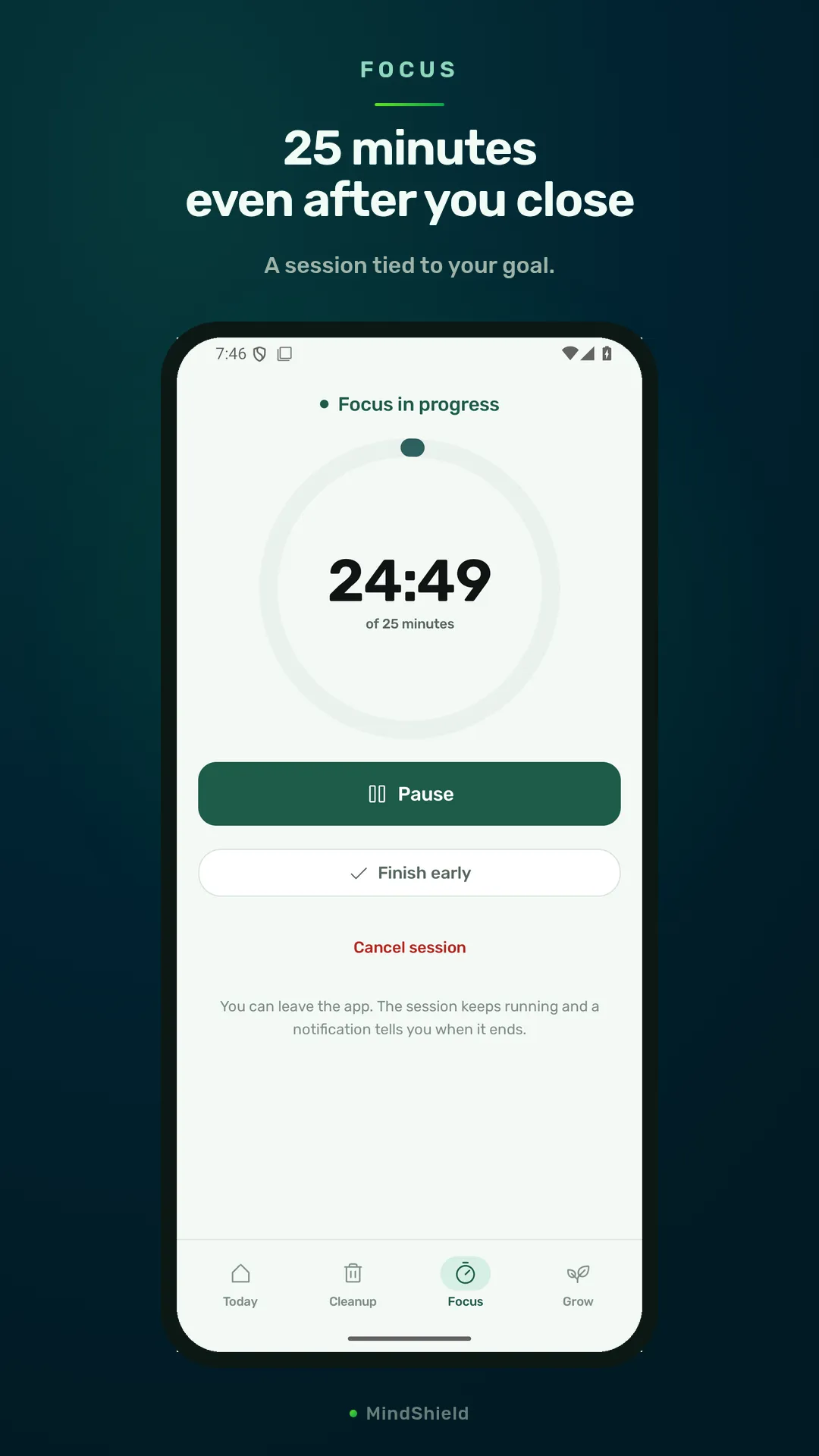
Focus session 25:00 Linked to a goal
Platform
Android 8.0+
Price
Free
Ads
None
Your data
On your device by default

Why MindShield

Time is not added. It is reclaimed.

Most screen time is not chosen; it happens. MindShield places a short pause between you and the app you chose to use less, then helps you fill the gap with something worth keeping.

It does not stop at counting hours, and it never deletes apps behind your back. Cleanup, control, focus, and goals work as one loop: notice, choose, grow.

Friction before blocking

A quiet reminder, then a pause, then a limit. Blocking is the last step, not the first.

Cleanup comes with a replacement

An app is only removed when something meaningful takes its place.

Privacy is the default

Your app list and usage stay on your device unless you choose otherwise.

How it works

Three moves. Nothing more.

We do not ask you to put your phone away. We ask for one second before you open it.

Notice

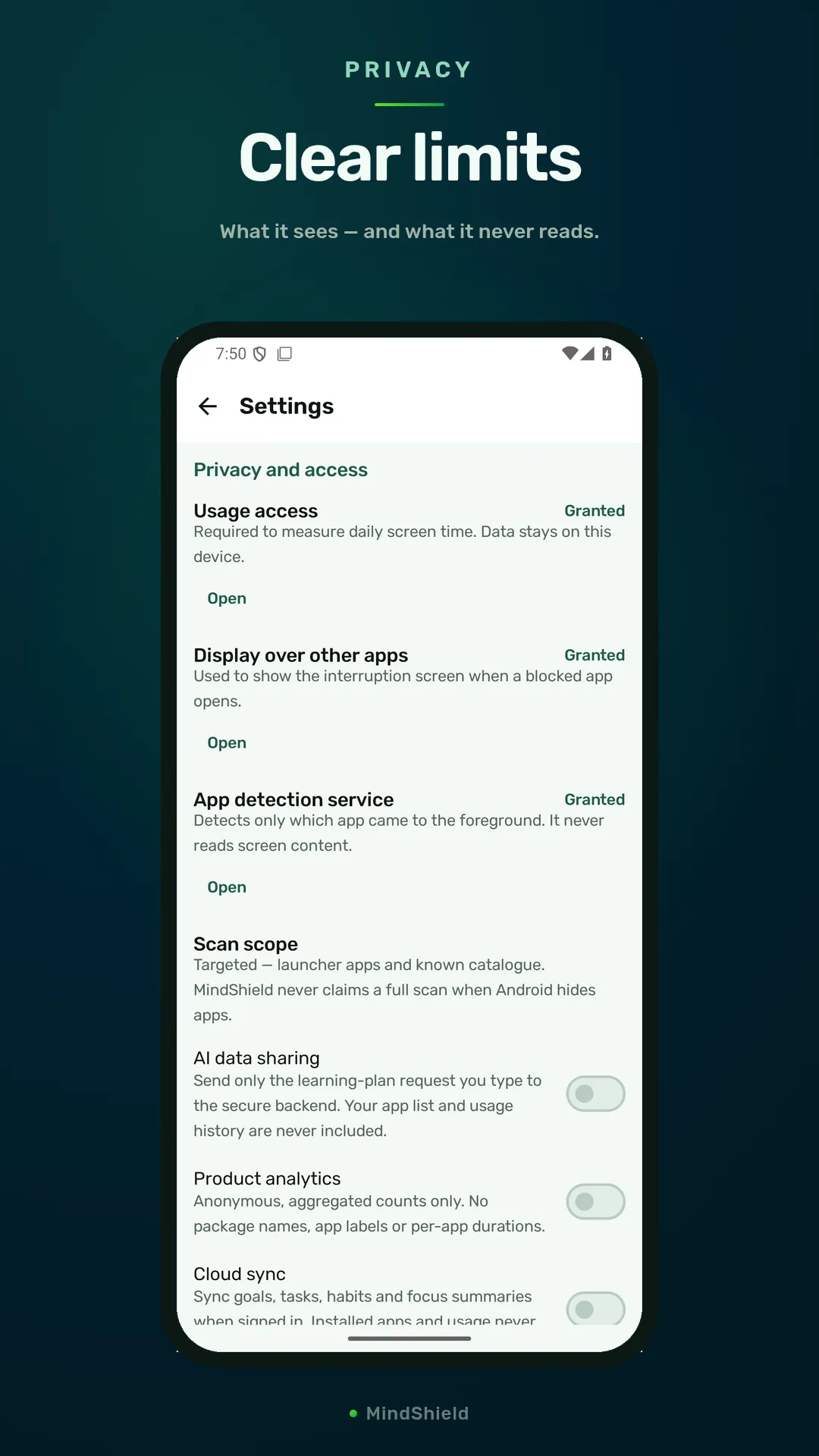
MindShield recognises which app came to the foreground, without reading screen content.

Choose

A short pause returns you to your goal, starts a focus session, or lets you continue on purpose.

Grow

Turn the time you reclaimed into a task, a habit, or a step in a learning plan.

The third move is where the difference lives: reclaimed time needs somewhere to go.

Features

Small tools. Compounding effect.

Every feature does one thing clearly, and leaves the decision with you.

The pause

Before you open it, ask yourself once.

When you open an app you marked as distracting, MindShield shows a calm pause: return to your goal, start a focus session, or continue anyway. No shame, no tricks.

  • Appears over the app without reading its content.
  • Explains the reason when a schedule or daily limit is active.
  • You can always continue. The decision stays yours.
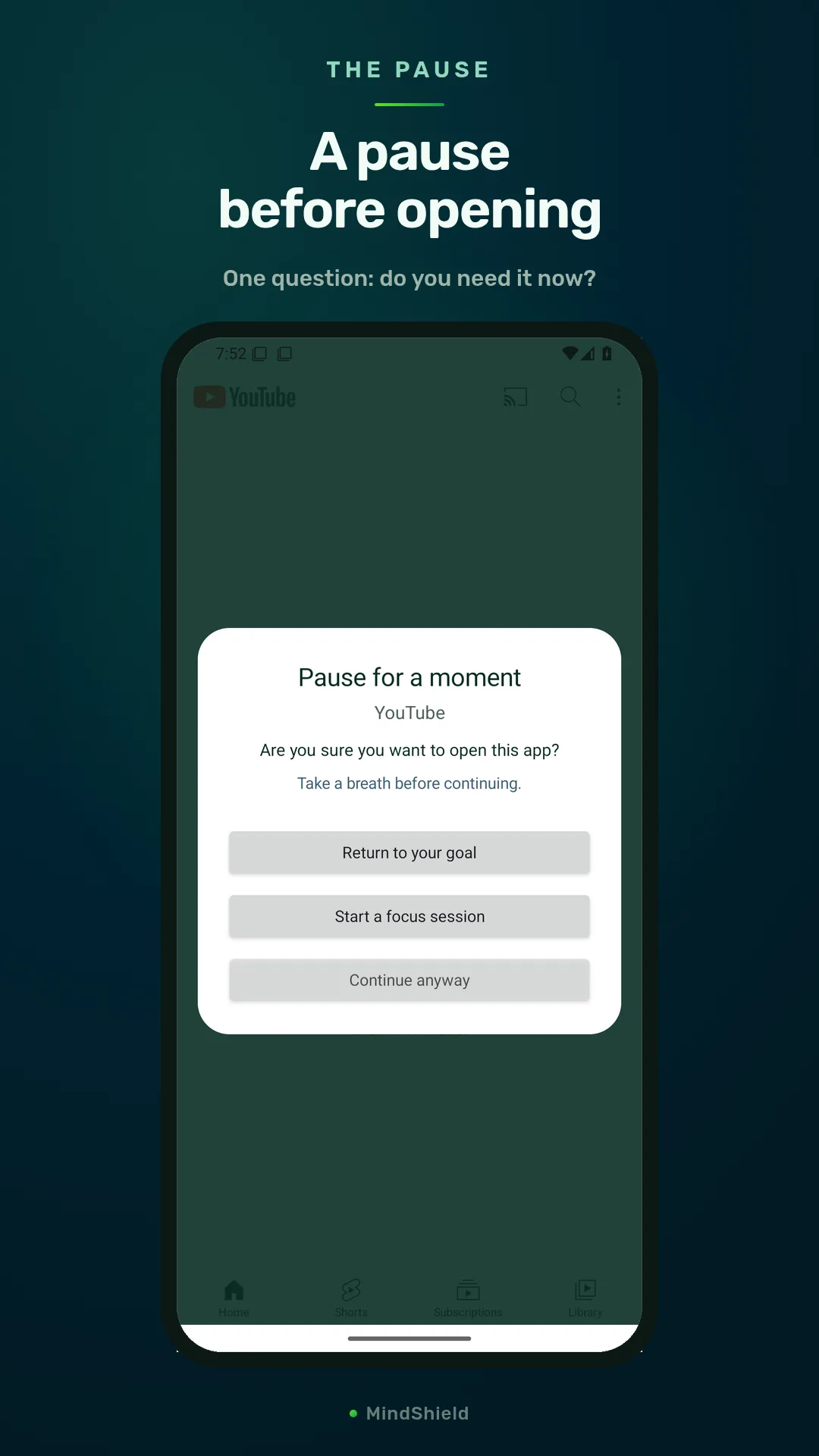
MindShield pause screen over YouTube: return to your goal, start a focus session, or continue.
The pause screen

Cleanup

Your app drawer, on purpose this time.

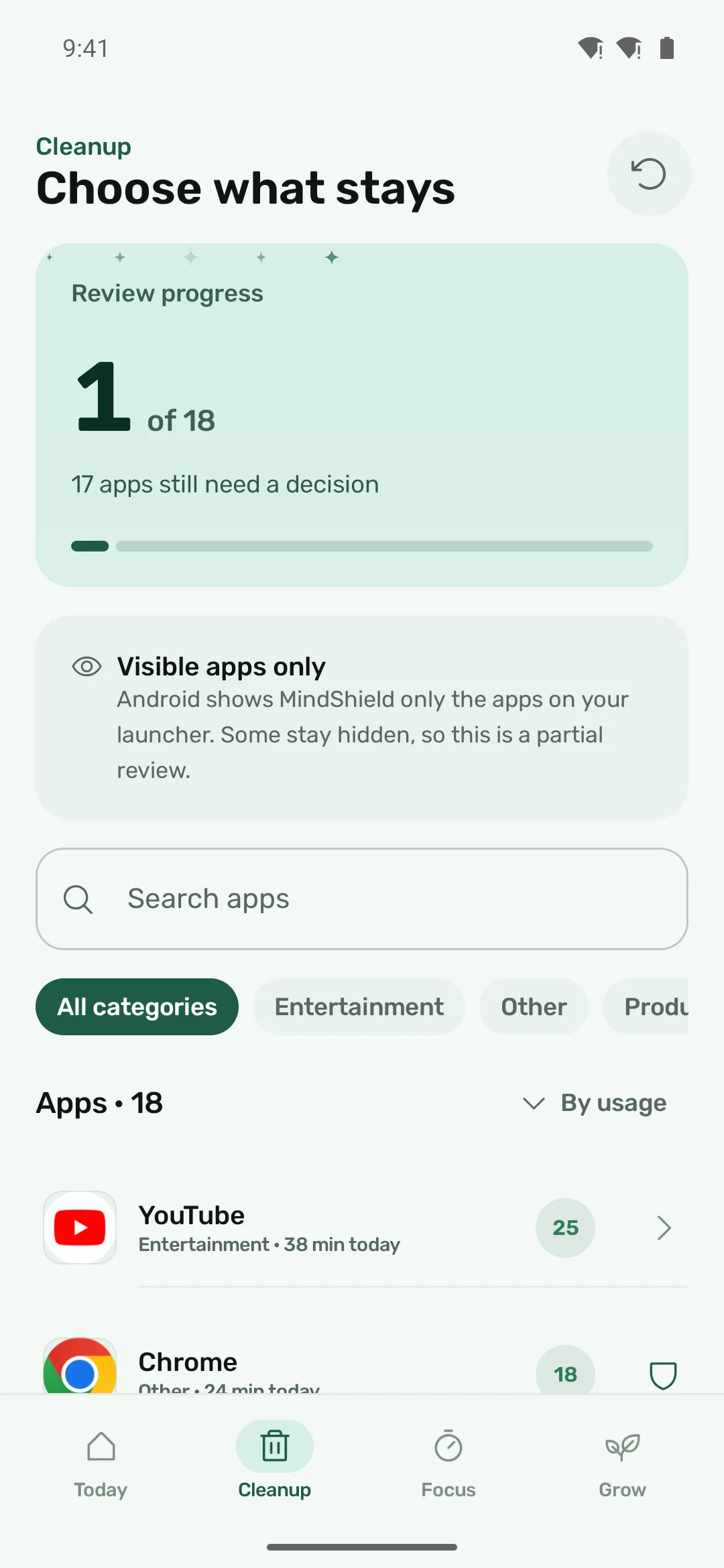
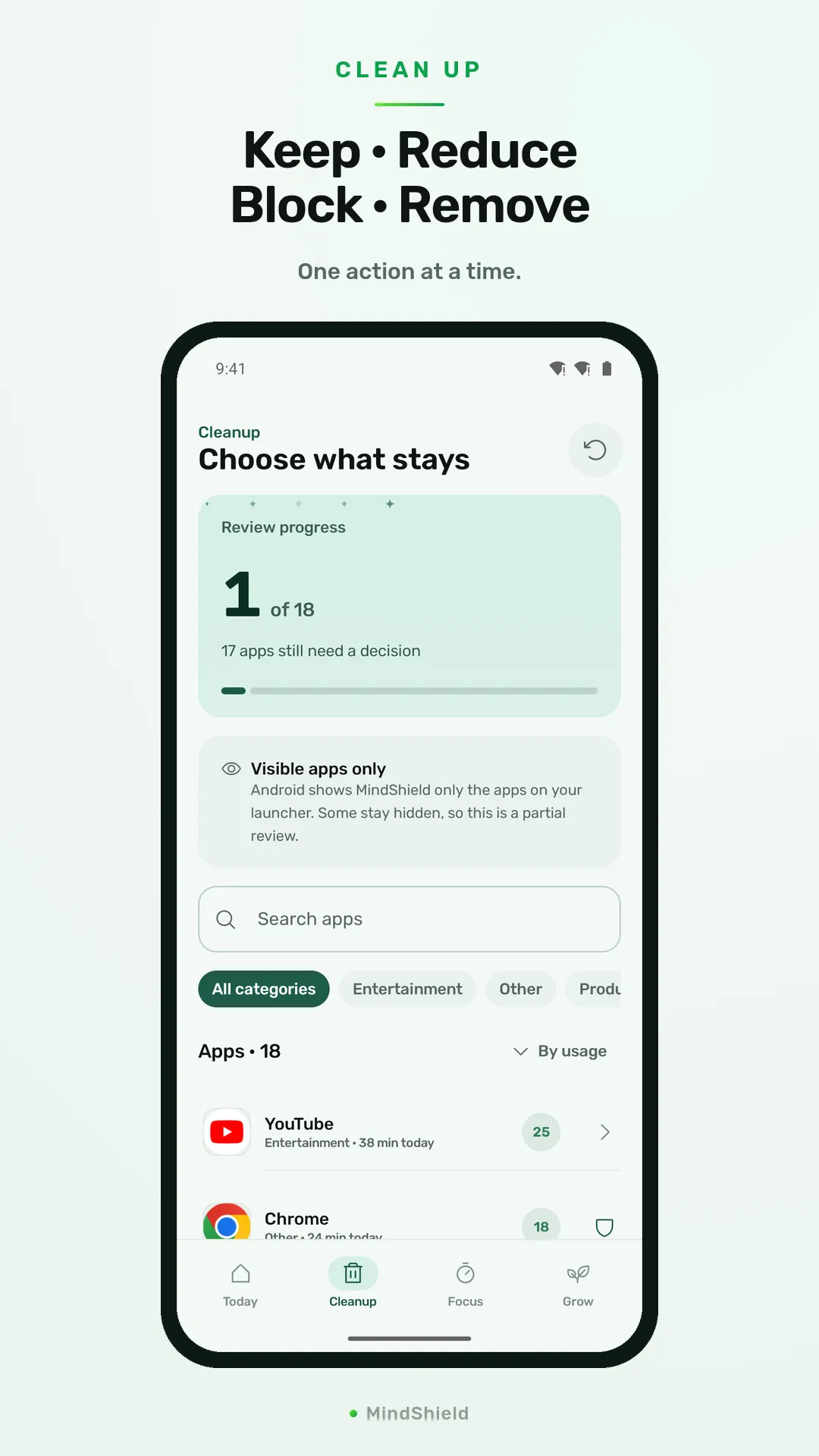
Review the apps Android makes visible. Keep, reduce, block, or remove. One decision at a time, with an honest view of what is actually visible.

  • Honest visibility: only the apps Android exposes.
  • Removal opens Android's official dialog, never a silent delete.
  • Scheduled blocks, daily limits, and focus blocking in one place.
Cleanup screen listing installed apps with keep, reduce, block, and remove decisions.
The cleanup screen

Focus

Focus that survives closing the app.

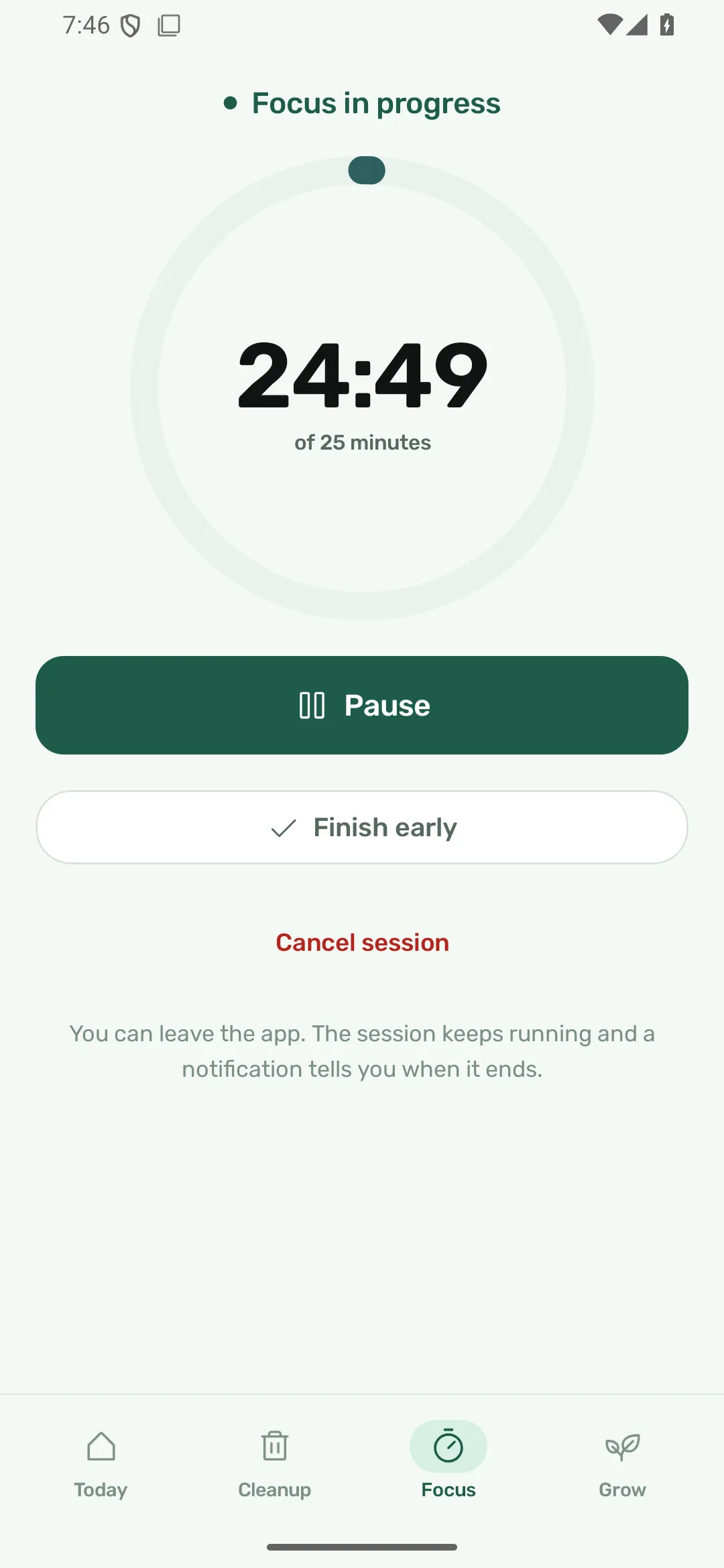
Start a 15, 25, 45, or 60-minute session, and link it to a goal if you want. The session keeps running when you leave the app and notifies you when it ends.

  • 15, 25, 45, or 60 minutes, with an optional goal.
  • The session keeps running when you leave the app.
  • A quiet completion notice, with pause and finish controls.
Running 25-minute focus session tied to a goal, with pause and finish controls.
A focus session

Growth

Reclaimed time becomes something you build.

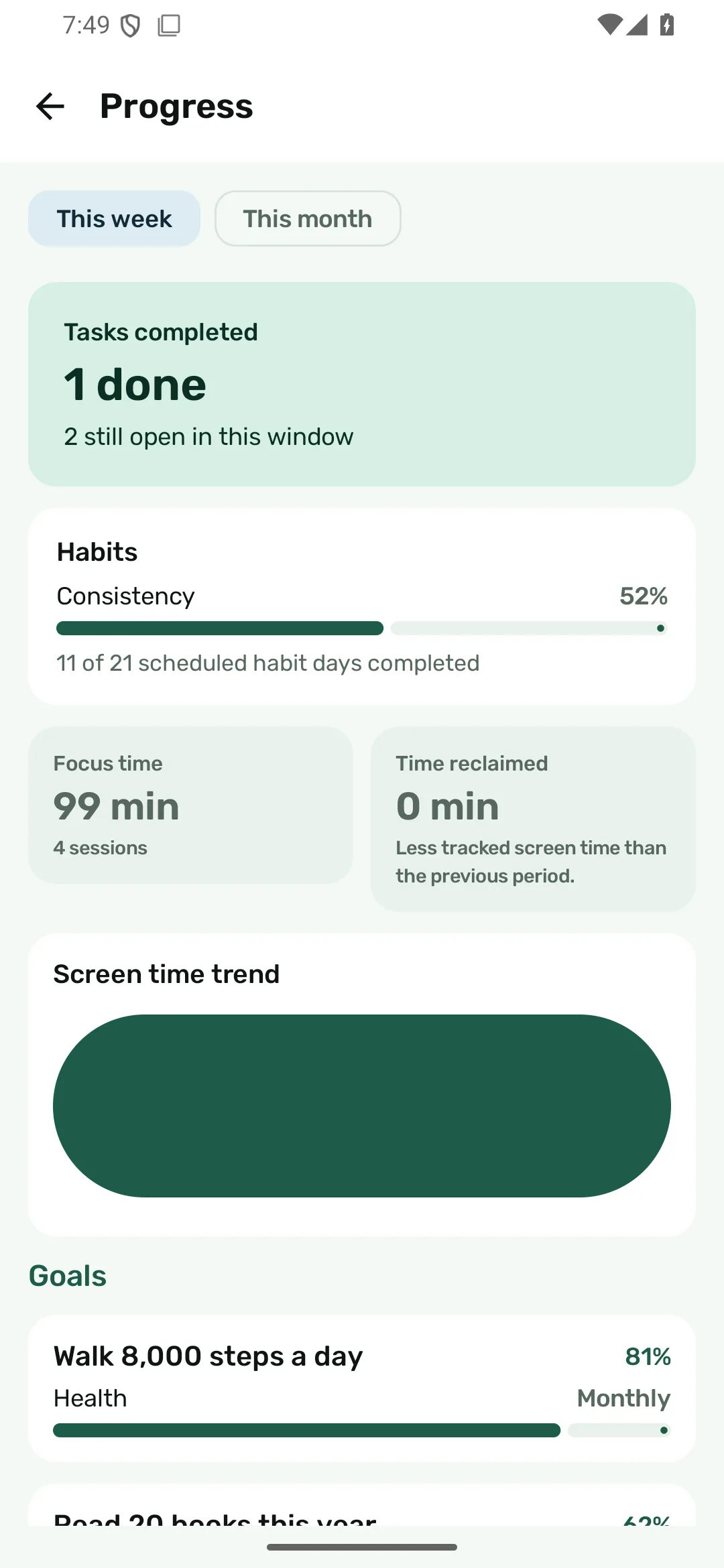
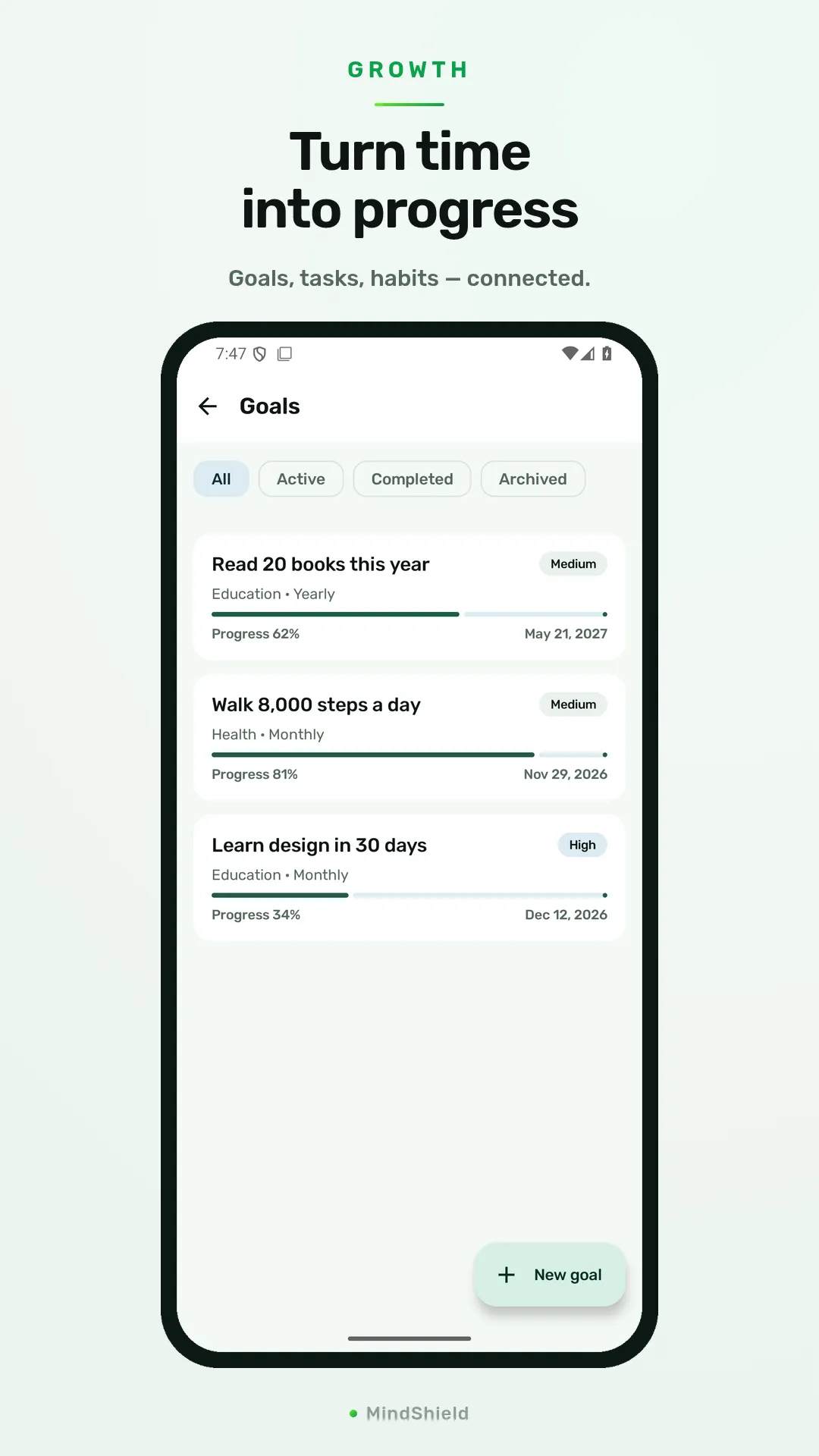
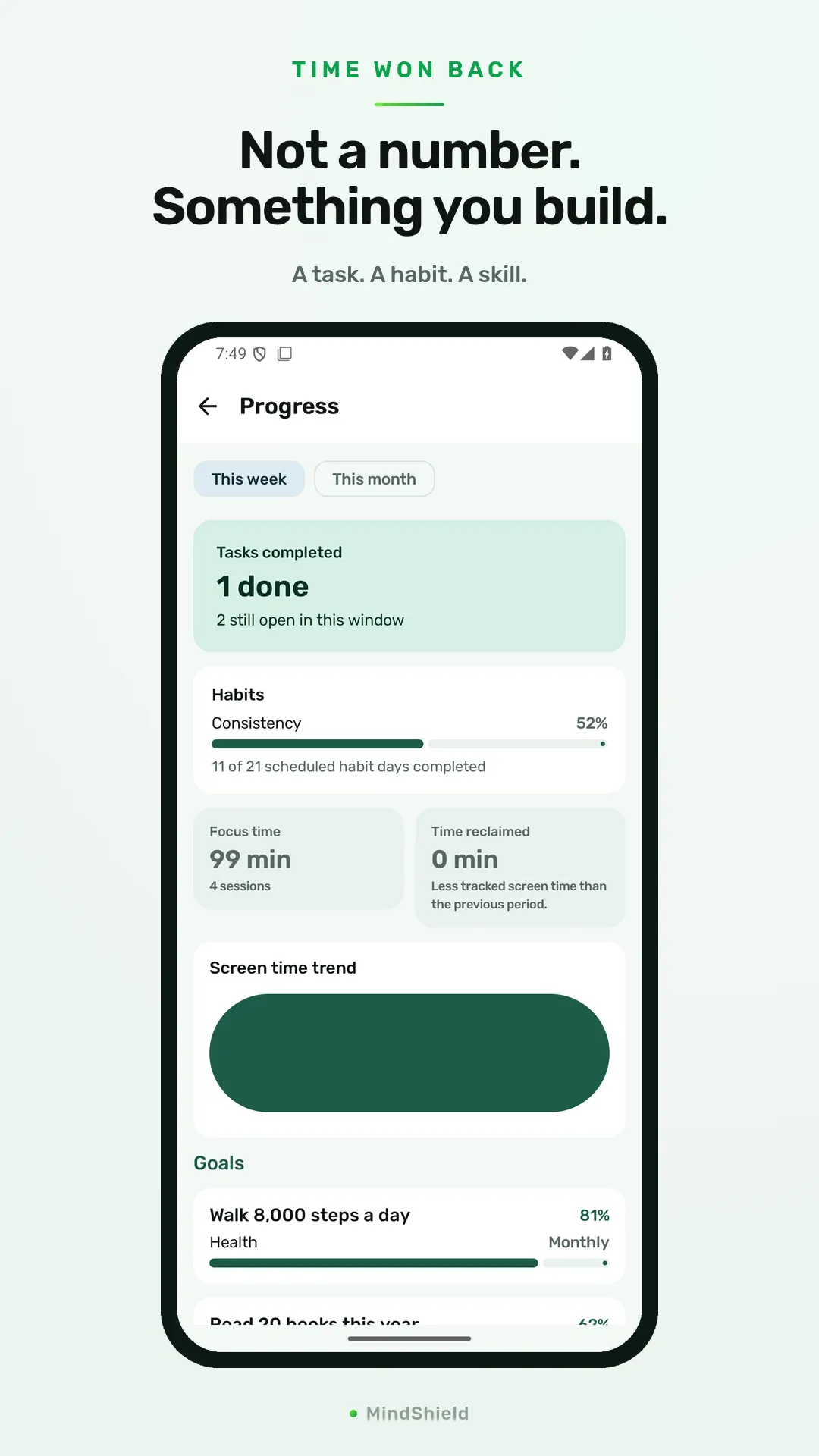
Goals, tasks, habits, and a weekly report that connects what you finished to what you reclaimed. No leaderboards, no social comparison.

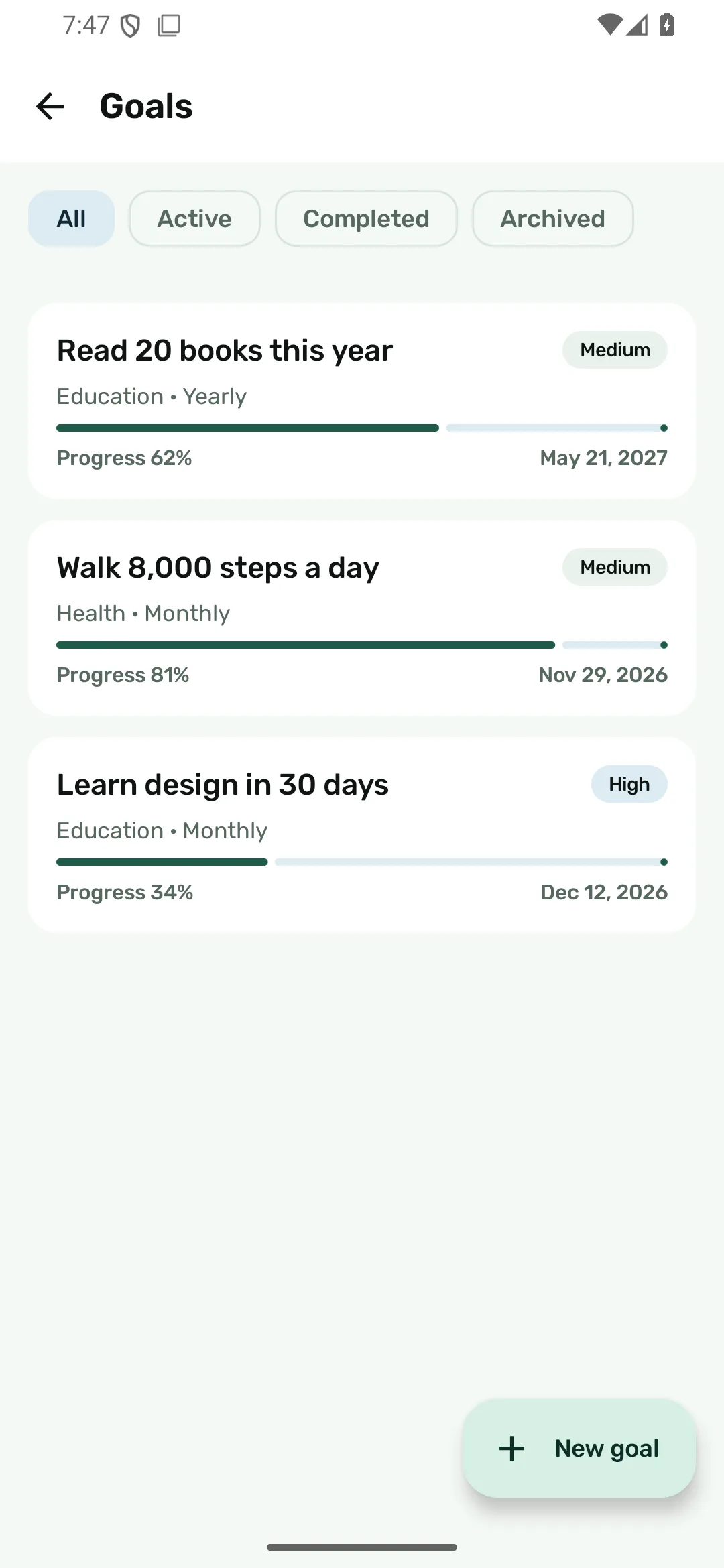
  • Goals with weekly, monthly, and yearly horizons.
  • Tasks and habits with quiet reminders.
  • A weekly report that connects reclaimed time to progress.
Goals screen with active goals, progress bars, and priority levels.
Progress screen combining completed tasks, habit consistency, focus time, and goals.
Goals and progress

Learning

One goal. A short plan. One step each week.

Ask for a multi-week plan built around one goal, your level, your language, and your weekly minutes. The request goes through a secure server; your app list and usage history are never included.

The plan falls back to a local catalogue when no AI provider is configured. It remains a suggestion, not professional advice.

Privacy

Clear limits, not slogans.

Privacy is not a feature we add at the end. It is a condition for an app that knows your apps.

On your device

  • App list and usage
  • Block rules and bypasses
  • Goals, tasks, and habits
  • Focus sessions and settings

Leaves with permission

  • Optional sync for goals and tasks
  • A learning-plan request
  • App list after a clear disclosure

Never collected

  • Screen content or keystrokes
  • Passwords or messages
  • Advertising ID or location
  • Contacts or files
Scan scope

Targeted by default. MindShield sees what Android exposes; when apps are hidden, it says the review is partial instead of claiming a full scan.

Read the full privacy policy

FAQ

Direct questions, short answers.

If your question is not here, email info@smart.sd.

Is MindShield free?

Yes. The app is free, with no ads and no in-app purchases.

Do I need an account?

No. Core features work without an account and without a connection. An account is optional for sync and for the app-list upload after disclosure.

Does it read what I type or watch?

No. The accessibility service detects only the package name of the app that came to the foreground and cannot retrieve window content. No text, passwords, or keystrokes.

Does it see every installed app?

Not always. The default mode is targeted and sees what Android exposes. When some apps are hidden, the app reports a partial review instead of claiming a full scan.

Where does my data go?

Your app list, usage, rules, goals, tasks, habits, and focus sessions stay on your device by default. Sync is optional. The app-list upload is optional, happens only after a clear disclosure, and can be turned off. Analytics and crash reports contain aggregated counts and diagnostics only.

Does it work on iPhone or Huawei?

The current release is for Android 8.0 and later. App Store and AppGallery links will appear here when they are available.

How do I delete my account?

From the Account screen in the app, or from the account deletion page. Deleting your account removes your profile, goals, tasks, habits, focus summaries, and device token.

Does the website use cookies or analytics?

No. The site is static and uses no tracking cookies or analytics. It fetches store links from Supabase and serves fonts locally.

Download

Ready to take your time back?

Choose your store. Available links open directly; the rest will appear here when they are live.

Free. No ads. No in-app purchases. Android 8.0 and later Need help installing? Privacy policy Terms of use